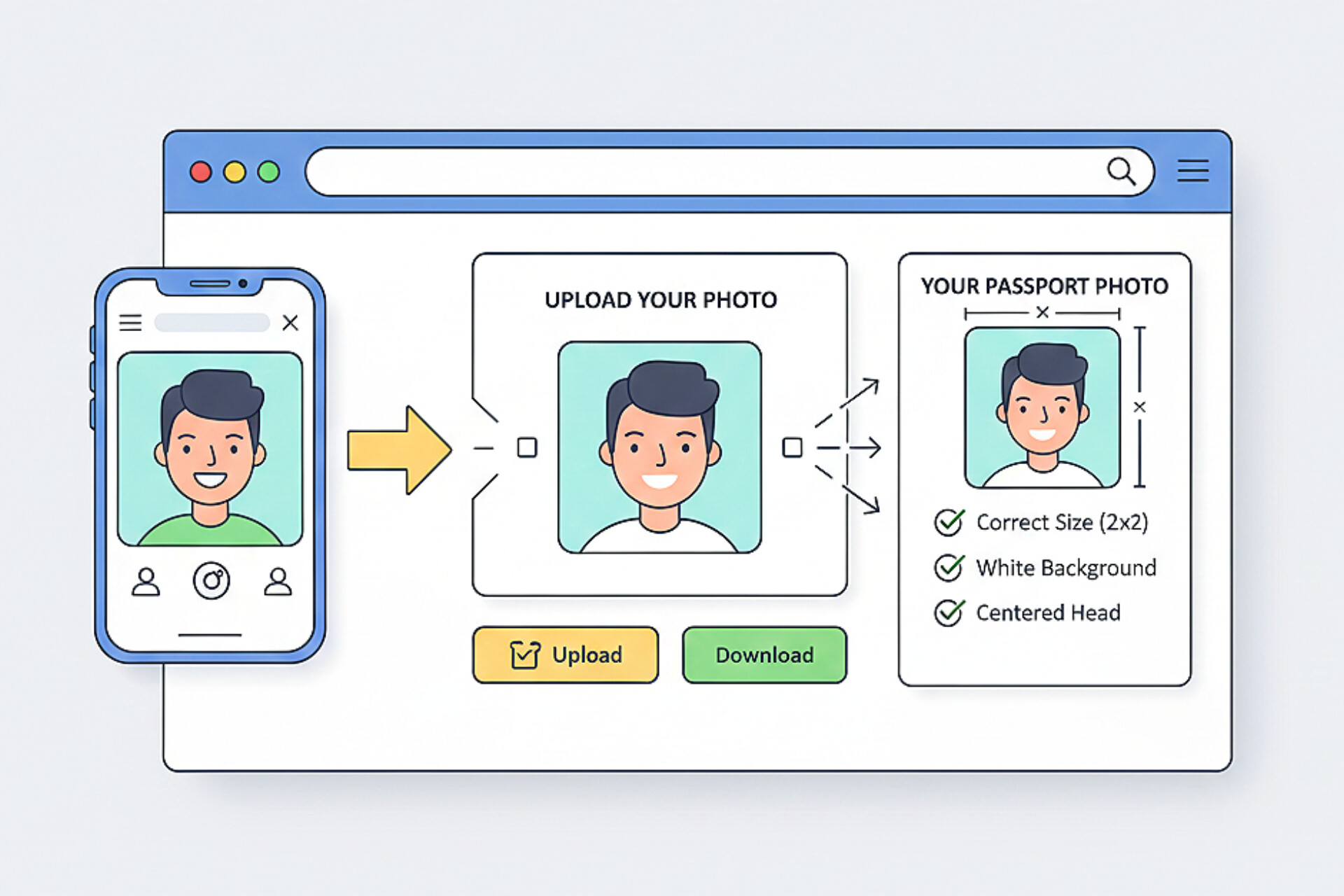
Gone are the days when you had to visit expensive photo studios just to get a passport photo. Today, you can create passport photos at home using your smartphone and an online tool like @quickconvertsuite.netlify.app (QuickConvert Suite). This guide walks you through everything you need to know—from lighting and posture to formatting your photo for US visas, UK passports, and European Schengen visas.
Why Create Passport Photos at Home?
Home-made passport photos are becoming increasingly popular because they are:
- Cost-effective (no studio fees)
- Fast and convenient
- Accepted for online visa applications
- Easy to redo if something goes wrong
With QuickConvert Suite Passport Photo Maker Online, users can simply upload a selfie and convert it into a fully compliant biometric passport photo in seconds.
What You Need to Take a Passport Photo at Home
- A smartphone with a decent camera
- Plain white or light-colored wall
- Natural lighting (near a window)
- Internet connection
- QuickConvert Suite passport photo tool
Step-by-Step: How to Take the Perfect Passport Photo at Home
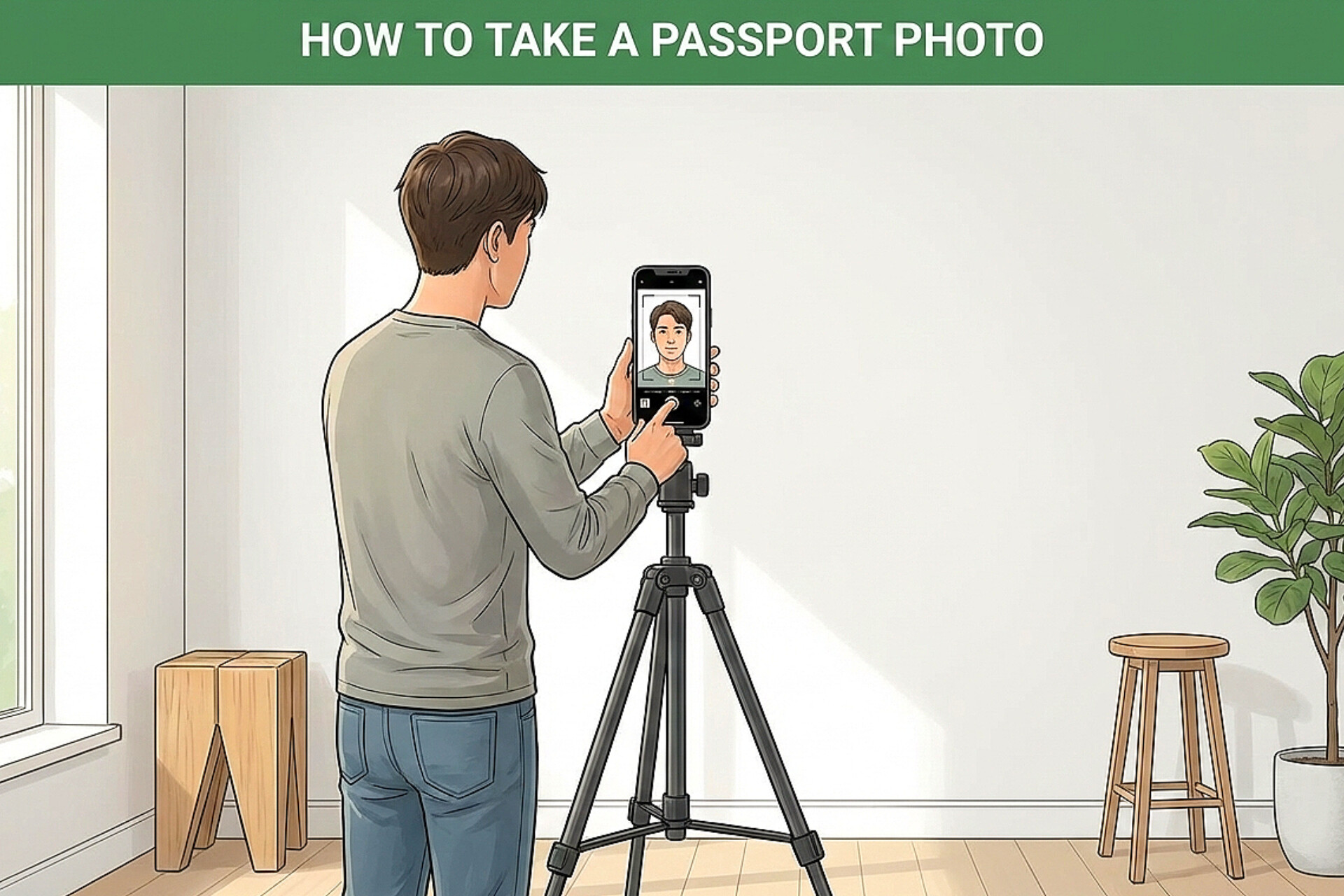
Step 1: Choose the Right Location
Stand in front of a plain white wall with no decorations, textures, or shadows. This is critical for biometric compliance.
Step 2: Set Up Proper Lighting
Natural daylight works best. Face a window and avoid overhead lights that create shadows under your eyes or chin.
Step 3: Position Your Phone Correctly
- Camera should be at eye level
- Keep the phone about 4–6 feet away
- Use the rear camera if possible
Step 4: Maintain Correct Expression
Most countries require a neutral expression:
- No smile or frown
- Mouth closed
- Eyes open and visible
Step 5: Dress Appropriately
- Wear dark-colored clothing
- Avoid uniforms or camouflage
- No hats or head coverings unless religious
Upload & Format Using QuickConvert Suite
Once your selfie is taken, upload it to @quickconvertsuite.netlify.app (QuickConvert Suite). This powerful Passport Photo Maker Online automatically:
- Centers your face correctly
- Adjusts head size
- Resizes the image to official dimensions
- Exports in high-quality JPEG format
Ad Space
Passport Photo Sizes Supported by QuickConvert Suite
US Visa & Passport Photo (2x2 inches)
The US Visa (2x2 inches) format is required for:
- DS-160 visa application
- US Passport
- Green Card
QuickConvert Suite ensures your photo meets strict U.S. pixel and head-size requirements.
UK & Europe Passport Photo (35x45mm)
The UK/Europe (35x45mm) format is standard for:
- UK passport
- Schengen visas
- Most EU residency permits
This tool automatically centers and resizes your image to meet pixel requirements for online submissions, saving you from manual cropping errors.
Common Mistakes to Avoid When Taking Passport Photos at Home
- Using filters or beauty mode
- Blurry or low-resolution images
- Incorrect background color
- Tilting your head
- Smiling when not allowed
Are Home Passport Photos Accepted?
Yes. Most immigration authorities now accept digitally created passport photos, as long as they meet official guidelines. Photos generated using QuickConvert Suite are optimized for compliance and online upload.
Passport Photo Rules by Country (Quick Overview)
United States
- Size: 2x2 inches
- No glasses
- Neutral expression
United Kingdom
- Size: 35x45mm
- Light background
- No shadows
Schengen / Europe
- Size: 35x45mm
- Neutral face
- High contrast
Why Use QuickConvert Suite Instead of Photo Studios?
QuickConvert Suite gives you:
- Free and instant processing
- No account required
- Client-side privacy protection
- Support for multiple countries
"Your phone + QuickConvert Suite is all you need for a perfect passport photo."
Frequently Asked Questions (FAQ)
Can I take passport photos with my phone?
Yes. Modern smartphones are more than capable when combined with QuickConvert Suite.
Do I need a professional camera?
No. Proper lighting and correct formatting matter more than camera type.
Can children’s passport photos be created at home?
Yes, as long as the background is clean and no hands are visible.
Conclusion
Learning how to create passport photos at home can save time, money, and frustration. With your smartphone and @quickconvertsuite.netlify.app (QuickConvert Suite), you can transform a simple selfie into a compliant passport or visa photo for the US, UK, and Europe in minutes.